Feature
Onto the chart, to the right people
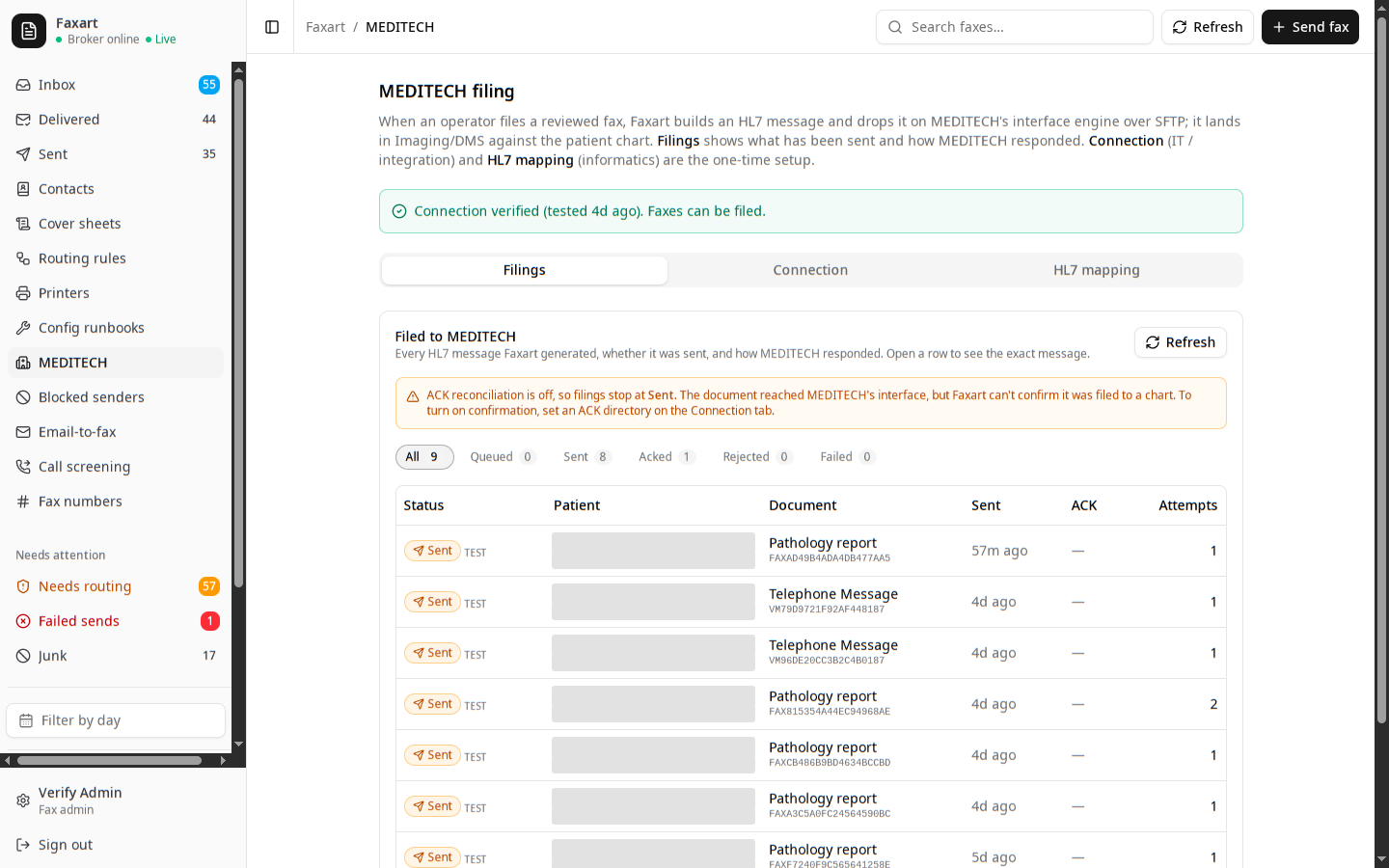
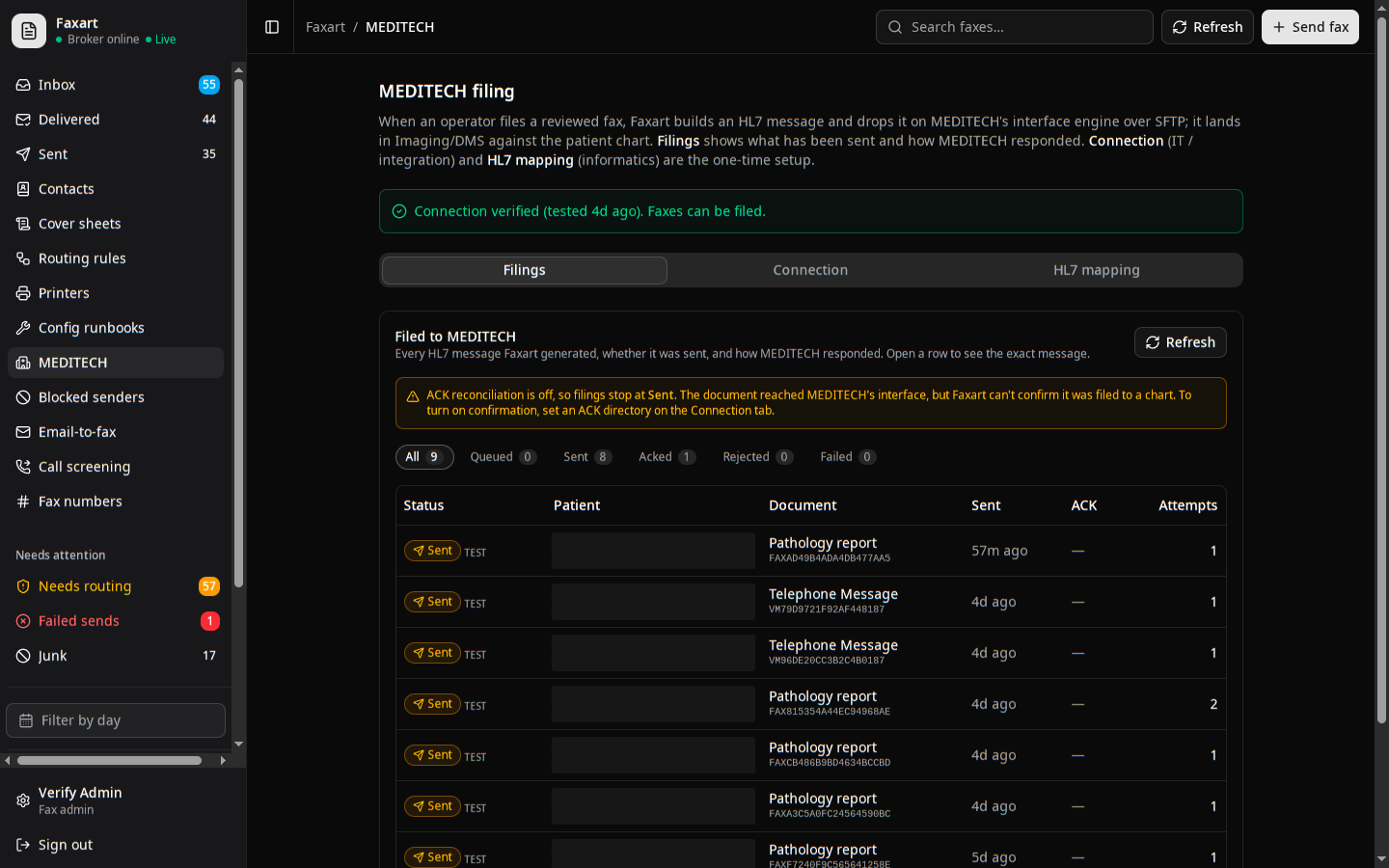
You read the document, confirm the patient, and approve. Only then does it file to the patient record (as an HL7 message into MEDITECH) and the people who need to know are told, wherever they happen to be working. Nothing reaches a chart until you say so.
What it does today
Filed as HL7 to MEDITECH
Once you confirm, the extracted fields become an ORU or MDM message and ride over SFTP to MEDITECH’s interface engine, landing in the chart indexed by patient, document type, date, and source.
Set up MEDITECH filingA person confirms the patient
The suggested MRN, name, and date of birth are candidates shown for your review, never trusted on their own. You read the document, confirm the patient, and only then does anything reach a chart.
How confirmation worksDelivered where people look
The same document also arrives where the recipient actually works: a fax mailbox, the web inbox, an email with the PDF attached, or a physical printer in the clinic, as many of those at once as you choose.
Deliver fax to emailTold the moment it lands
You never have to keep refreshing a queue. When something new arrives, you get a toast in the app, an optional chime, or a push notification, even with the tab closed.
Enable notificationsRelated
MEDITECH filing
The HL7 detail: how the extracted fields map to an ORU or MDM message, and how informatics owns that mapping without touching code.
Routing
How a document gets to the right person in the first place: plain-English rules a person can author, and a review queue before anything moves.
Directory
The people and numbers behind the names: the AD directory, self-service fax numbers, and contacts the copiers can read.
See it on your own stack
Book a demo, or read how you file a confirmed document to the chart.