Feature
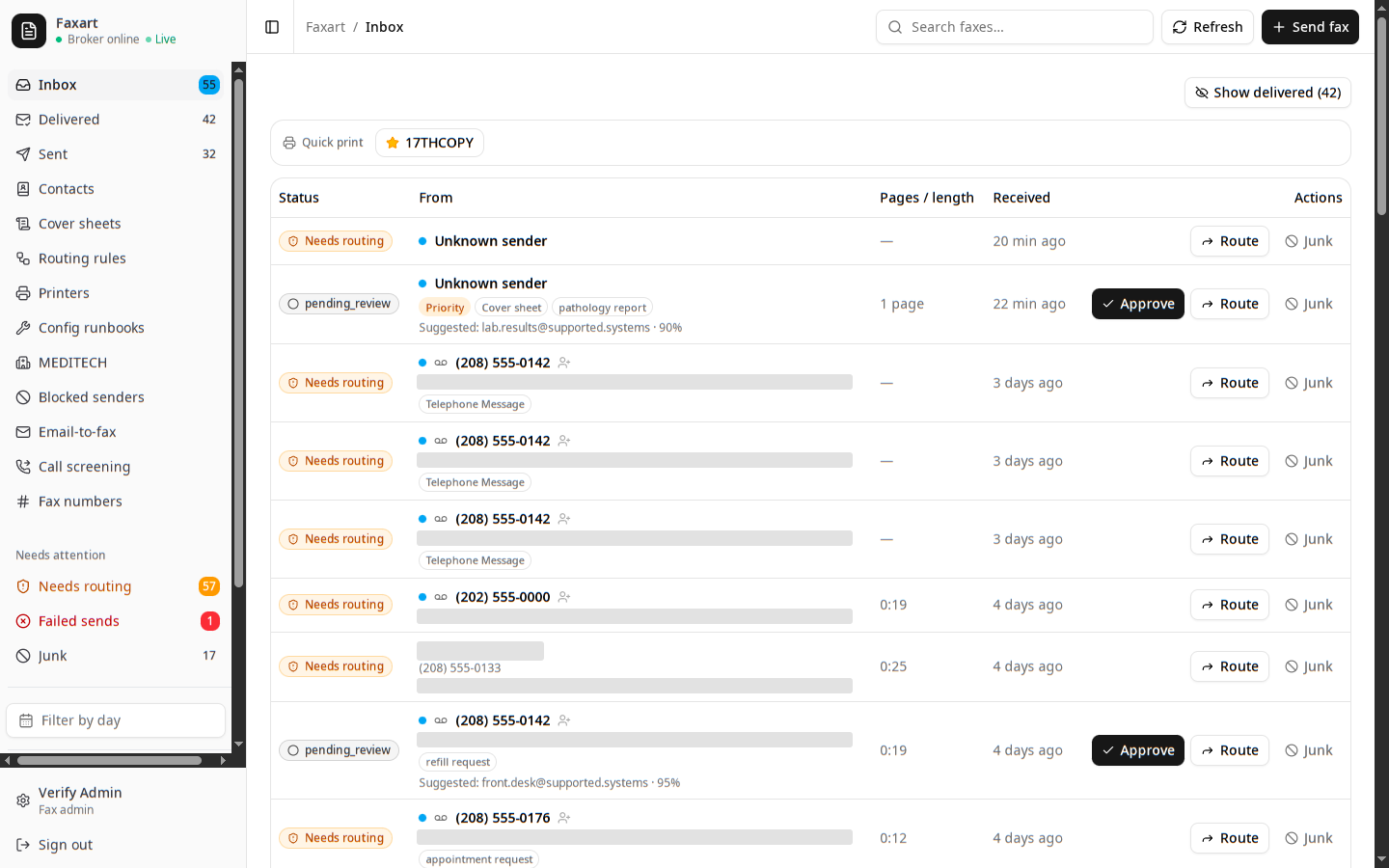
Every way it arrives, in one queue
A fax on the trunk. A scan from the copier down the hall. A voicemail. An email with a PDF. You work them all from one queue, each read where it lands and turned into a single item you can route. Nothing leaves the building to get read.
What it catches today
Fax, the way it always came
An inbound fax arrives over SIP and you work it as a reviewable item. To send, you write an email: address a number, attach a PDF, and it goes out under your caller ID.
Receive your first faxA scan from the copier down the hall
You let the Sharp in the back office and the Ricoh by the nurses’ station scan-to-fax and scan-to-email straight into Faxart, authorized by the device, not by borrowing someone’s number.
Register a scan-to-fax MFPA voicemail, read like a page
A caller leaves a message, and you get it recorded and transcribed on your own hardware, then run through the same rules and review as a fax. Dead-air and hang-ups land in the junk bucket so you never have to listen to them.
Set up voicemailAn email with a PDF attached
You mail a fax address and it goes out as an outbound fax. On-prem MFPs that scan-to-email are recognized by their source address and faxed under their own identity.
Send a fax from emailA note you speak instead of type
A clinician records a note at the workstation. It is transcribed on your own hardware, the patient and document type are read for you to confirm, and you file it to the chart as a document. Play back what was captured before you sign; nothing files on its own.
Record a dictationOn the way Coming
One more source is in progress. It is not here yet, and the rest of this page is.
Embedded web chat
A chat widget you attach to the EHR, treated as just another inbound item that lands in the same queue.
Related
See it on your own stack
Book a demo, or read how you work an inbound item.